 Jambolaya
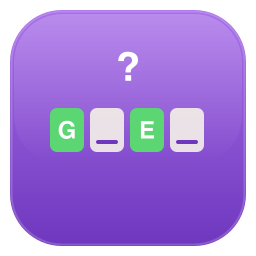
Guess the Word
How to play
Both players get the same hidden word and guess it one letter at a time. Right letters appear in their place; a wrong letter uses up one of your tries.
The difficulty sets the board: Easy is a five-letter word with 10 tries and its first and last letters already shown; Normal is six letters with 8 tries and the first letter shown; Hard is six letters with 6 tries; Expert is seven letters with 5 tries.
The easier levels pick more common words. Solving the word beats not solving it. If both solve it, whoever made fewer wrong guesses wins. Otherwise it is a tie.
The aim
Guess the Word is a letter-guessing game for two. The app picks a secret word, and both players try to uncover that same word, one letter at a time. Every wrong letter costs a try. Find the whole word before your tries run out, with fewer mistakes than your rival.
How to play
There are no turns. You both guess at the same time, each on your own board, and speed does not matter.
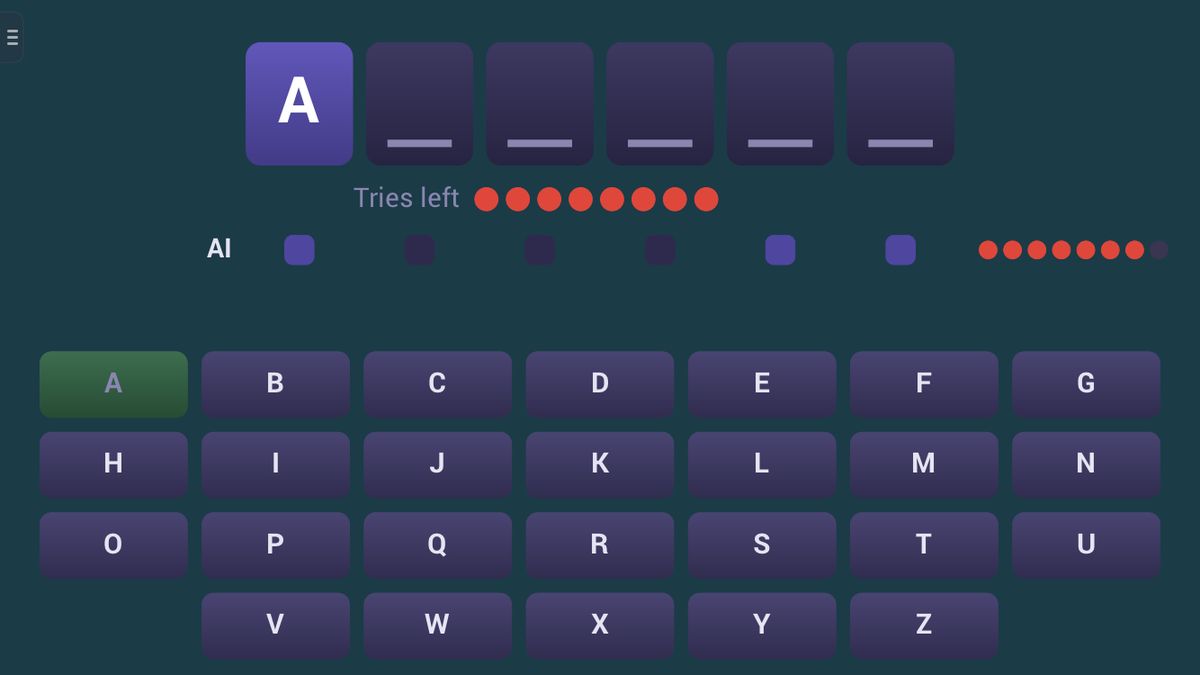
- The board. The word is a row of blank tiles, one per letter, above a keyboard in the app's language. Your tries left show as dots.
- Tap a letter. If it is in the word, it appears in its place. If it is there twice, both tiles turn up at once.
- A miss costs a try. A wrong letter turns red. Used letters go grey, so you cannot pay twice for the same one.
- Your rival's row shows how many letters they have found and how many tries they have left, never which letters.
Before the game, choose a level:
- Easy: five letters, 10 tries, first and last letters showing.
- Normal: six letters, 8 tries, first letter showing.
- Hard: six letters, 6 tries, nothing showing.
- Expert: seven letters, 5 tries.
Easy and Normal use only the most common words. A letter shown at the start shows everywhere it appears in the word, free.
A small example on Normal: the board shows B _ _ _ _ _. You tap E, and two tiles turn up: B E _ _ E _. You tap A, which is not there: one dot goes. You tap T and get B E T T E _. The word is almost asking for an R: BETTER.
Scoring and the end of the game
Your board ends when you solve the word or run out of tries. Either way the word is then shown to you, while your rival finishes. When both boards are done:
- If only one of you solved it, that player wins.
- If you both solved it, more tries left wins. The same number is a draw.
- If neither solved it, it is a draw.
Against the computer you can also play best of 1, 3 or 5 games; a draw scores for nobody.
Tips to play better
- Start with vowels. Nearly every word has an E, A, O or I, and one usually opens it up.
- Then the common consonants. In English, T, N, S, R and L turn up far more often than J, Q, X or Z.
- Use the shape. Once a few letters show, think of real words that fit. B E T T E _ has very few answers.
- Expect doubles. Pairs such as TT, LL and SS are common in English.
- Save rare letters for last. Try K or W only when you can name a word that needs it.
Common mistakes
- Tapping fast to win. Time does not count, only wrong guesses.
- Guessing rare letters early because they feel lucky, and running short of tries later.
- Ignoring the shown letters on Easy and Normal. They tell you how the word starts, and on Easy how it ends.
Playing with family
Guess the Word is a gentle way for children to practise spelling. Easy, with ten tries and two letters showing, gives them a real chance against an adult, while word-loving grandparents can take on Expert.
Against the computer, its skill follows the level: on Easy it guesses carelessly, on Hard and Expert it tries the most common letters first. It never sees the word. The guided lesson lets you tap your own letters, see a double letter fill two tiles, lose a try on purpose and finish the word.
In the app, two people can also play together nearby, each on their own phone or tablet, with no Wi-Fi or internet needed; the player who invites picks the level. The browser edition is for one device.
Ways to play
- Against the computerPlay on one device against a computer opponent.
- Play together, nearbyOne-on-one with someone in the same room, each on your own phone or tablet. No Wi-Fi or internet needed. In the Jambolaya app.
- Learn by playingA guided lesson on the real game teaches you the rules one step at a time.
 Sudoku Duel1–2 players
 Nonogram1–2 players
 Word Duel1–2 players
 Letter Storm1–2 players
 Word Grid1–4 players
 Crate Push1–2 players
 Shape Swap1–2 players
 Letter Ring1–4 players