 Jambolaya
Pair Up
How to play
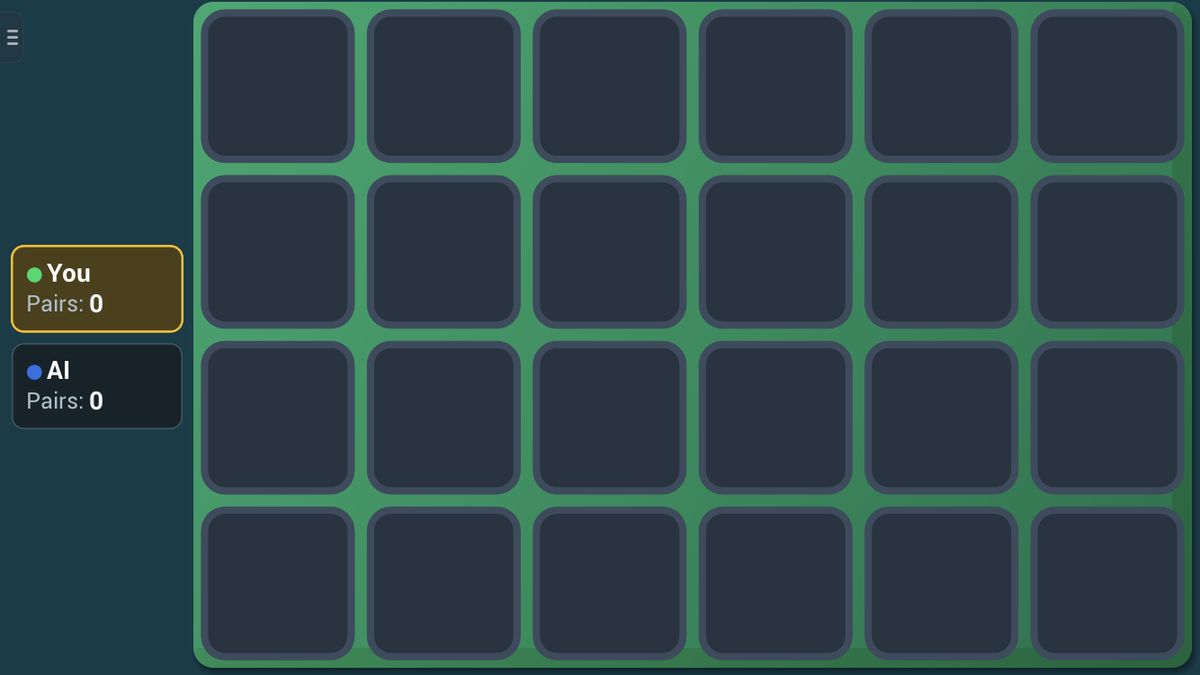
All cards lie face-down. On your turn flip two: match them and you keep the pair and go again; miss and they flip back. Remember where the cards are. When every pair is found, whoever collected the most wins.
The aim
In Pair Up, every card lies face down in a grid, and every card has exactly one twin somewhere else. A face-up card shows a big number on its own colour, so twins are easy to spot. Your aim is to collect more pairs than anyone else by the time the last pair is found. After the first lucky flips, it is all about remembering where things are.
How a turn works
- Tap any face-down card. It flips over, and everyone can see it.
- Tap a second face-down card.
- If the two cards match, the pair is yours. Both stay face up, a little faded, with a small dot in your colour in the corner. You take another turn straight away.
- If they don't match, both stay up for a moment, then turn back over. Now it is the next player's turn.
Here is an example. Grandpa turns over a blue 2 in the top corner, then a red 1 in the middle. No match, so both flip back. On your turn you flip a card on the bottom row, and it is another red 1! You remember where Grandpa's red 1 was, tap the middle card, keep the pair and go again.
Scoring and the end of the game
Each pair counts as one. The game ends the moment every pair has been found, and the player with the most pairs wins.
The Level setting chooses the size of the board:
- Easy: 12 cards (6 pairs), and a missed pair stays face up a little longer.
- Normal: 24 cards (12 pairs).
- Hard: 30 cards (15 pairs).
If two players finish with the same number of pairs, it is a draw. With three or four players, everyone who shares the top score draws and the others lose. On Hard, two players can never tie, because 15 pairs cannot be split evenly. Against the computer you can also play a best of 3 or best of 5 match.
Tips to play better
- Say what you saw, quietly or in your head: "red 1, top corner." Putting a card into words helps it stick.
- Watch every flip, not just your own. When another player misses, you see two cards for free.
- Start your turn with a card nobody has turned yet. If its twin is one you have already seen, go straight to it.
- Explore in order, row by row from one corner, so you know which part of the board is still a mystery.
- When you know where both cards of a pair are, take that pair first. A match gives you another turn anyway.
- Focus on the last few misses. A handful of cards remembered clearly beats a whole board remembered fuzzily.
Common mistakes
- Looking away while others play. Their misses are the best clues in the game.
- Tapping the second card too fast. After the first card turns, stop and ask: "Have I seen this one before?"
- Forgetting that the computer is watching too. Every card you turn over, it sees as well.
Playing with family
Pair Up needs no reading and no fast fingers, only a good memory, so a sharp eight-year-old can beat a grown-up fair and square. The Easy board, with just 12 cards, is a gentle start for the youngest.
Against the computer, you pick the board's Level and, separately, the computer's Difficulty, and who starts first. On Easy the computer often forgets what it saw; on Hard it almost never does.
The guided lesson plays a real board. The coach points to a twin just once, shows what a miss does, then lets you watch your rival miss, so you see how their mistakes help you.
In the app, two to four players can play together nearby, each on their own phone or tablet, with no Wi-Fi or internet needed. If someone has to leave mid-game, the computer finishes in their seat. The browser edition plays on a single device.
Ways to play
- Against the computerPlay on one device against a computer opponent.
- Play together, nearbyWith family and friends in the same room: up to 4 players, each on their own phone or tablet. No Wi-Fi or internet needed. In the Jambolaya app.
- Learn by playingA guided lesson on the real game teaches you the rules one step at a time.
 Match Dash1–2 players
 Pattern Flash1–2 players
 Number Hunt1–2 players
 Alphabet Run1–2 players
 Mirror Mates1–2 players
 Letter Trace1–2 players
 Flip Check1–2 players
 Sound Hunt1–2 players